
Buying Buddy is part of the Zillow Tech Connect program which means you can send your new Zillow leads straight to your Buying Buddy Account. This will automatically assign leads based on the User / Agent profile in your account.
Note: This integration only applies to new leads generated after the setup is complete. Historical leads from before the integration was configured will not be automatically imported.
If you require more flexibility (such as assigning leads via a round robin), use the Zapier import method instead.

How to Setup Zillow Integration
Step 1: Get Your Buying Buddy Partner ID
- In your Buying Buddy account, go to
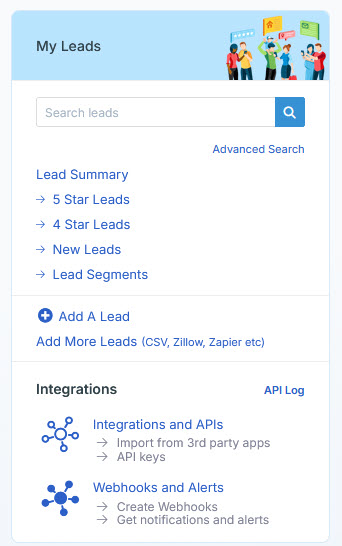
- On Add More Leads page, click "Import From Zillow"
- Your personal Buying Buddy Partner ID is displayed (for example:
mwTVsfgH)
Copy this ID to your clipboard - you'll need it for the next step.
Step 2: Configure Zillow App Integration
Note: Zillow has updated their interface. The integration is now found under "App Integrations" (previously called "Tech Connect").
- Log into your Zillow Premier Agent account
- Click your profile photo in the top right corner
- Select "Settings" from the dropdown menu
- In the left sidebar under "General", click "App Integrations"
- Look for the "One-Way Integrations" section
- Click the "Link app" button
- Select "Buying Buddy" from the Partners dropdown
- When prompted for the Partner ID, paste your Buying Buddy Partner ID that you copied in Step 1
- Complete the setup by following any additional prompts
How It Works
Once configured, all new leads generated through your Zillow Premier Agent profile will automatically flow into your Buying Buddy account. The integration supports:
- Automatic lead assignment based on your User/Agent profile settings
- Real-time delivery of lead information including contact details and property interests
- Lead source tracking to identify Zillow as the origin
Alternative Setup Methods
If you need more advanced lead distribution options (like round-robin assignment to multiple agents), consider these alternatives:
- Zapier Integration - Provides more flexibility for lead routing and processing
- Email-to-Lead Import - Forward Zillow lead emails to your Buying Buddy import address
Troubleshooting
If leads aren't appearing in your Buying Buddy account:
- Verify your Partner ID was entered correctly in Zillow
- Check that the integration shows as "Active" in your Zillow App Integrations settings
- Allow up to 15 minutes for the first test lead to appear
- Contact Buying Buddy support if leads still don't appear after 24 hours